Wedding photo book
Your Wedding Photo Book — The Beginning of Your Family Story
Your wedding marks the beginning of your family story. Upload your photographer’s photos and automatically turn them into a timeless, professionally designed wedding photo book.
Or make your book in the app
How it works
How to Create Your Wedding Photo Book
Creating your wedding photo book is simple — just upload your photos and your album will be created automatically.


 Not a photo?Left out

 Not a photo?Left out


Upload your photos
Your own photos from any device. Receipts and screenshots stay out of the book.


Beautiful spreads that tell your story
Every page is laid out for you in the order it happened. Spread after spread, the photos add up to the story of your wedding. The crop follows faces and never cuts them.

Order your ready-to-print book
The cover writes itself: “Olgerd & Tatsiana · The Love Story”. Order the book as it is, or change the photos and the cover first, if you like.
Inside the book
Every spread is different
One photo across a page or three side by side — each spread laid out for its photos, in the order of your wedding day.


Swipe to see more
Reviews
What customers say about their books
From customers who ordered a book from us. How we collect reviews
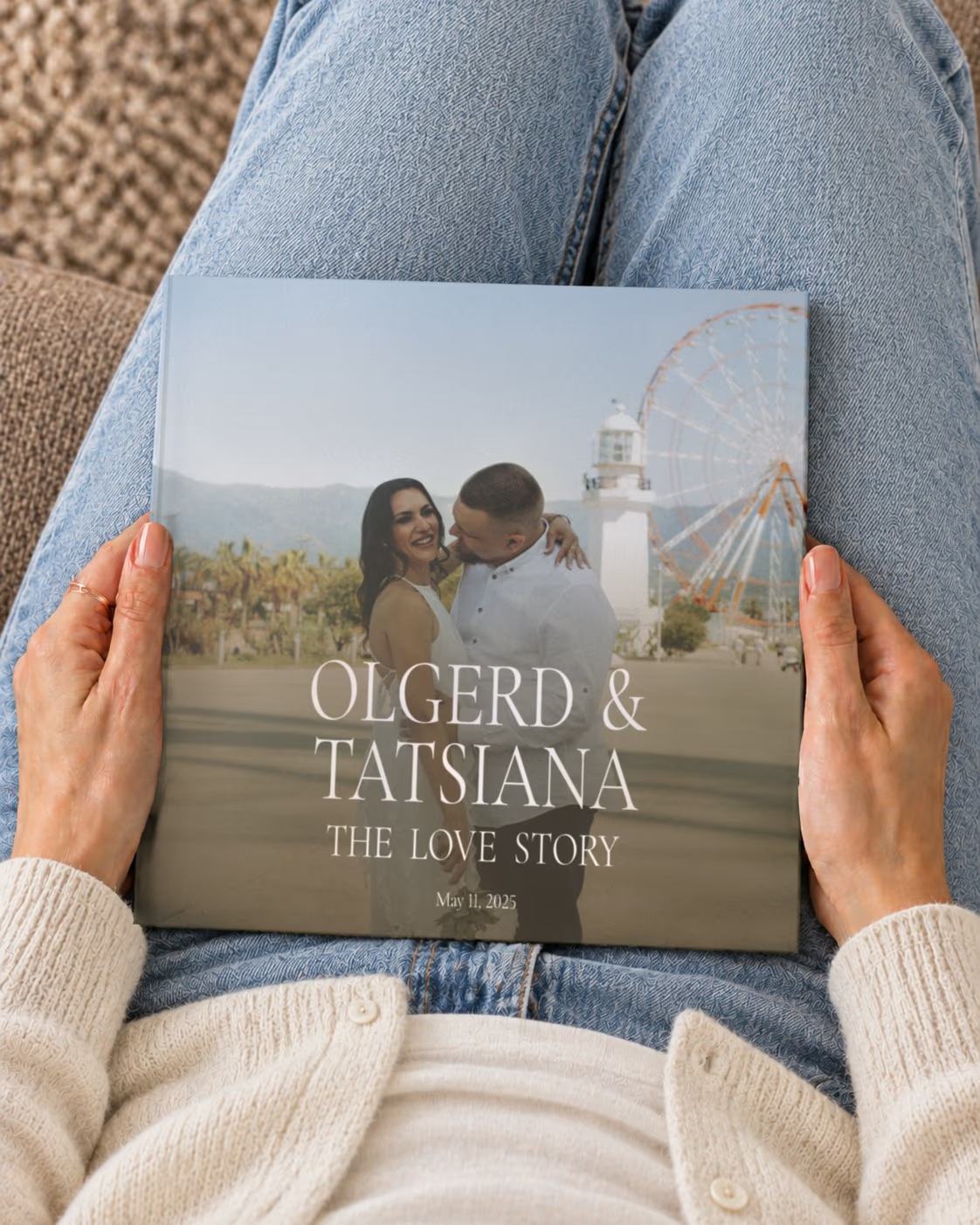
Preserve Your Wedding Day in a Timeless Photo Book
Turn your wedding photos into a beautifully designed album that tells your story
Your wedding day is one of the most meaningful moments of your life — the beginning of your family story. A wedding photo book preserves those memories in a timeless and lasting form.
Memories.design makes it easy to transform your wedding photos into a professional photo book. Simply upload your photos, and our system automatically organizes them into a coherent and elegant visual story.
From preparation and ceremony to celebration and quiet moments, your photo book reflects the full emotional journey of your wedding day.
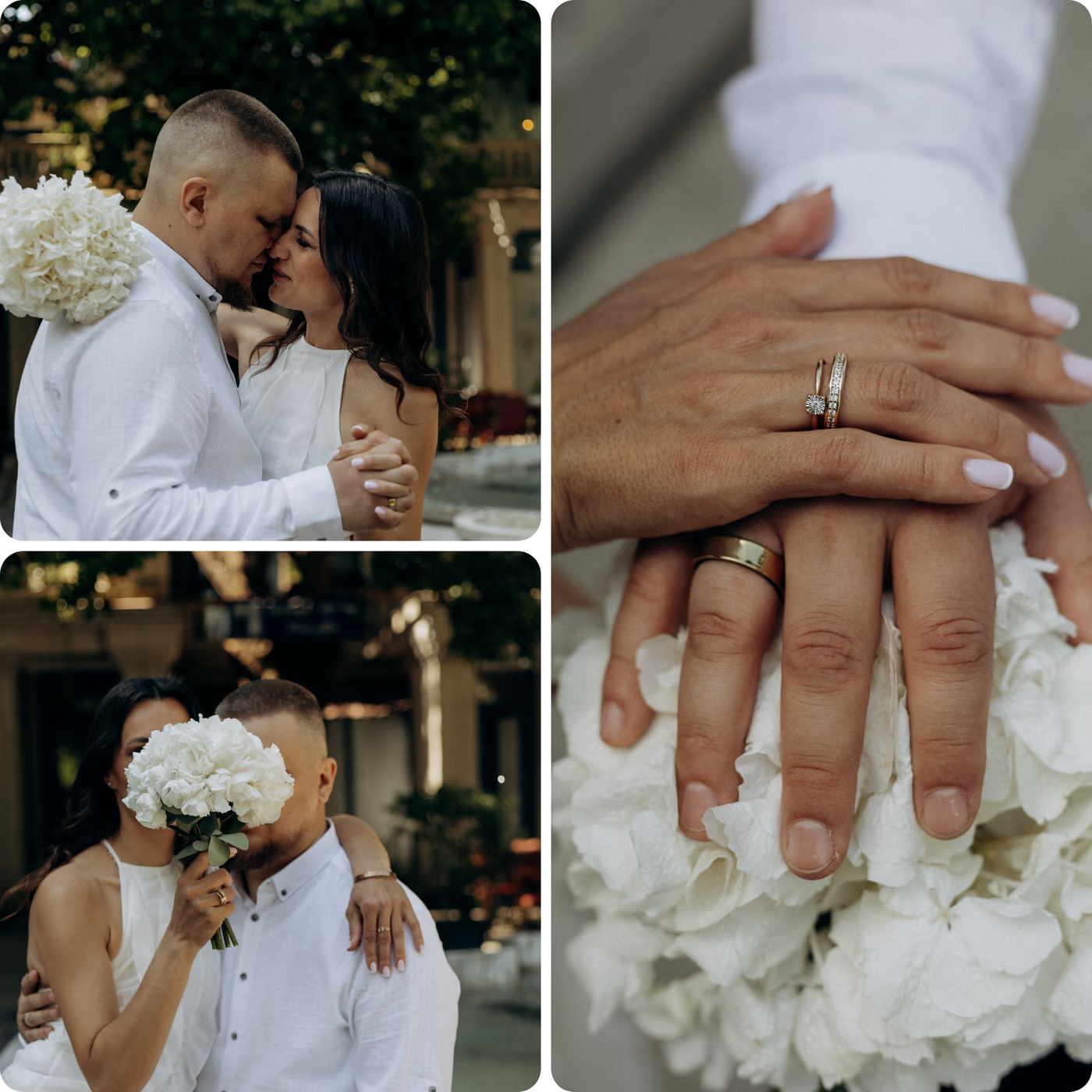
The Easiest Way to Create a Wedding Photo Book from Your Photographer’s Photos
After your wedding, your photographer sends you a gallery of hundreds of edited photos. Choosing the photos is the hardest part of making any album — and here it's already done: your photographer has selected the best shots for you.
That's what makes a wedding gallery perfect for an automatic photo book. Upload the folder as it is, and your wedding photo book is created in minutes — the photos follow the order of the day, with layouts that highlight your most meaningful moments.
Your album is ready to print right away — and you can still change layouts or replace photos before ordering if you like.
From Your Photographer's Gallery to a Wedding Album
The hardest part of any photo book is choosing the photos. With a wedding, your photographer has already done it — the gallery is a selection of the best shots, edited and ready. All that's left is the layout, and we do it automatically.
Download the full gallery
Download the photos from your photographer's online gallery in the highest quality and upload the folder as it is.
The whole day, in order
Getting ready, the ceremony, portraits, the first dance — the book follows the order of the day.
Add guests' photos
Friends' phone photos often catch moments the photographer missed. Upload them together with the gallery.
Up to 1,770 photos
Even a large wedding gallery fits: the book can have from 23 to 295 pages.
Books for parents
A wedding photo book is a meaningful thank-you gift for both families.
Your first anniversary
Didn't make an album after the wedding? A book for the first anniversary is a great second chance.
The book
Premium Wedding Photo Book Designed to Last a Lifetime
Your wedding photo book is printed using professional materials to ensure exceptional quality and long-term preservation.

- 21 × 21 cm
- 8.3 × 8.3 in hardcover
- 23–295
- pages, a spine 8 to 30 mm thick
- 200 g/m²
- glossy photo pages
- Sewn
- the pages sewn into the binding
Elegant Hardcover Format
- Book size: 21 × 21 cm
- Durable hardcover with matte laminate finish
- Strong binding designed for lifetime preservation
Professional Photo Printing
- Printed on premium 200 gsm gloss paper
- Sharp detail and vibrant colors
- Archival-quality printing
Large Capacity for Your Wedding Collection
- From 23 to 295 pages
- Supports up to 1,770 photos
- Perfect for full wedding coverage
Fully Editable Layouts
- Automatically generated layouts
- Over 170 layout variations
- Fully customizable before printing
More books
Continue Your Family Story
Your wedding photo book is the first chapter. Continue preserving your life together with family and milestone photo books.

Love Story Photo Book
Tell your unique love story in a beautifully printed photo book. From your first moments together to shared travels and everyday life, preserve your relationship in a meaningful keepsake.
Learn more
Baby First Year Photo Book
Preserve your baby’s first year in a beautifully printed photo book. From the first days to the first birthday, capture every precious moment and create a timeless family keepsake.
Learn more
Family Year Photo Book
Preserve a full year of your family’s life in one beautifully designed photo book. From everyday moments to special milestones, tell your family’s story year by year.
Learn more
Swipe to see more
FAQ
Still have a question? Contact Us
Can I make a wedding photo book from my photographer's photos?
Yes — and it's the easiest kind of photo book to make.
The hardest part is already done
The hardest part of any photo book is choosing the photos. With a wedding, your photographer has already done it: the gallery they send you is usually a selection of the best shots, edited and color-corrected. All that's left is the layout — and we do it automatically. That's why so many wedding albums never get made by hand, and why ours is ready in minutes.
How it works
- Download the full gallery from your photographer in the highest quality.
- Upload the folder as it is — no need to sort or rename anything.
- We put the photos in the order of the day — getting ready, the ceremony, portraits, the first dance — remove near-identical shots and design the album. It's ready to print right away; you can still change anything if you like.
Tips
- Add guests' photos. Friends' phone photos often catch moments the photographer missed — upload them together with the gallery.
- Choose the size of the album. A book has from 23 to 295 pages and holds up to about 1,770 photos. For a thinner album, hide the photos you don't need before ordering.
- Order copies for your parents. A wedding album is one of the most meaningful thank-you gifts for both families.
How many pages will my wedding photo book have?
It depends on how many photos you upload: a book has from 23 to 295 pages and holds up to about 1,770 photos. If you'd like a thinner (and cheaper) album, hide the photos you don't need before ordering — the book is rebuilt automatically.
Can I combine photos from several phones and cameras in one book?
Yes. Collect the photos from everyone — your phone, your partner's, the grandparents', a camera — and upload them together. We put all photos in chronological order by the date they were taken and remove duplicates. Tip: if a camera's clock was set wrong, its photos may end up in the wrong place — you can move them in the preview.
Can I order extra copies as gifts?
Yes. You can order several copies of the same book in one order, or reorder it later from My Orders. One order goes to one address, so to send a copy to someone else — for example, to grandparents — place a separate order with their address.
Are my photos good enough for print?
For good print quality, use photos at least 900 px on the shorter side; for a full-page photo, the more the better (10 megapixels or more is ideal). We check every photo automatically: photos that are too small are left out, and the preview shows the print quality (DPI) of each photo, so you can replace any with low quality before ordering.
What size is the photo book and what paper is used?
- Size: 21 × 21 cm (8.3 × 8.3 in), square
- Hardcover with matte laminate, 2.5 mm thick
- Pages: 200 gsm glossy paper
- From 23 to 295 pages, up to about 1,770 photos
- The title and year are printed on the spine
How long does delivery take?
Your order goes through three stages: moderation (1–2 days), printing (about 5 business days) and shipping (up to 7 business days to the US, up to 10 business days or more elsewhere). In total, plan for about 2–3 weeks. During the holiday season it may take longer. When the book ships, you'll get an email with a tracking link.