How it works
How to Create Your Travel Photo Book
Turn your travel memories into a beautifully designed photo book in just a few simple steps.


 Not a photo?Left out

 Not a photo?Left out


Upload your photos
Your own photos from any device. Receipts and screenshots stay out of the book.


A chapter for every day
Every page is laid out for you in the order it happened. Each day of the trip opens with its date. The crop follows faces and never cuts them.

Order your ready-to-print book
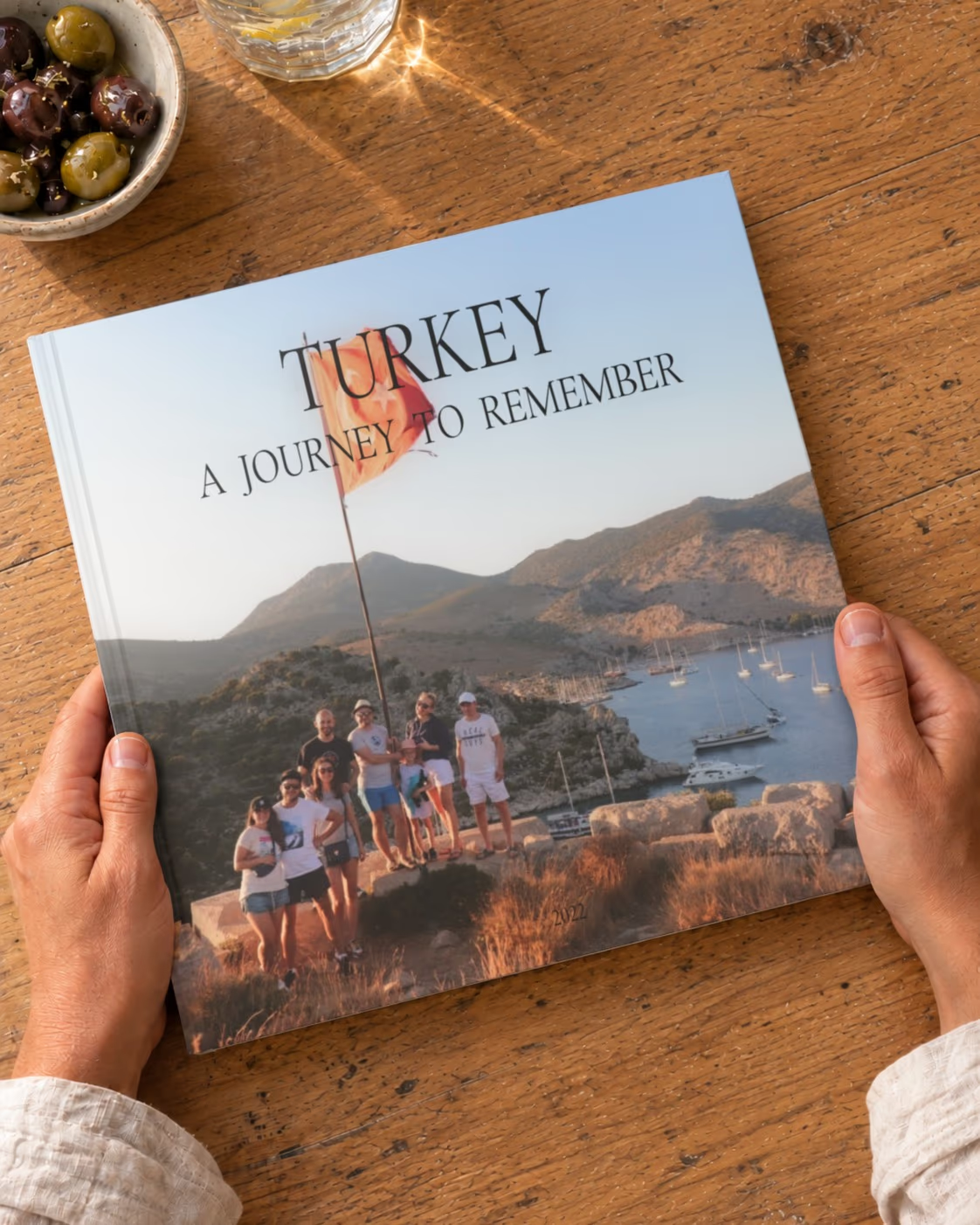
The cover writes itself: “Turkey · A Journey to Remember”. Order the book as it is, or change the photos and the cover first, if you like.
Inside the book
Every spread is different
One photo across a page, a pair, a grid of six — each spread laid out for its photos, in the order of your trip.


Swipe to see more
Reviews
What customers say about their books
From customers who ordered a book from us. How we collect reviews
The Trip Is Over. The Photos Are Still on Your Phone.
From a weekend away to a month on the road
You came back with hundreds of photos: the views, the food, the wrong turn that ended at the best beach of the trip. A week later they are buried under everything else.
A travel photo book puts the whole trip back in order, day by day. It is easiest to make in the first weeks after you return, while you still remember every place.

Every Day of the Trip Gets Its Own Chapter
Upload the photos from everyone's phones and cameras at once. We sort them by the time they were taken, leave out screenshots and duplicates, and open each day with its date.
The book is ready to print as it is. If you like, swap a photo or the cover before you order.

The Memories app
Your trips are already in your phone
The app looks through the photos on your phone and finds your trips, big days and whole years — each one ready to become a book.
- Trips found for youby their dates and places
- Receipts and screenshots left outonly your moments go in
- Uploads in the backgroundkeep using your phone
Ideas for Your Travel Photo Book
After a trip, the photos stay on the phone and are rarely seen again. A travel photo book turns them into a story you can hand to anyone — and it is easiest to make in the first weeks after you return.
One trip, one book
A road trip, a honeymoon, a summer in Europe — the book follows your route day by day.
A year of travel
Several shorter trips from the same year make a great book together.
Photos from everyone
Collect photos from all travelers' phones and cameras, and upload them into one book.
Landscapes and people
Keep both the views and the candid moments — the book shows the trip, not just the sights.
Up to 1,770 photos
Long trips fit: the book can have from 23 to 295 pages.
A gift for travel companions
A trip photo book is a thoughtful gift for the friends or family you traveled with.
The book
A 21 × 21 cm Book With Sewn Pages
Square and about as wide as a sheet of A4 paper, a little narrower than US letter, with glossy photo pages.

- 21 × 21 cm
- 8.3 × 8.3 in, square
- 23–295
- pages, a spine 8 to 30 mm thick
- 200 g/m²
- glossy photo pages
- Sewn
- the pages sewn into the binding
Size and cover
- 21 × 21 cm (8.3 × 8.3 in), square
- A matte cover
- The title on the cover and the spine
Pages and photos
- 23 to 295 pages
- Up to about 1,770 photos, up to six on a page
- 200 g/m² glossy photo paper
Binding
- Pages sewn into the binding
- The book opens wide but does not lie completely flat
Our promise
- If your book arrives damaged or with a printing fault, we reprint it for free
- Send us a photo of the problem, and we take care of the rest
More books
More Books to Make
Every trip of the year in one book, your family's year, or the story of the two of you.

Love Story Photo Book
Tell your unique love story in a beautifully printed photo book. From your first moments together to shared travels and everyday life, preserve your relationship in a meaningful keepsake.
Learn more
Year in Review Photo Book
Capture your entire year in one beautifully designed photo book. Preserve your most important moments, milestones, and everyday memories in a premium printed album that tells the story of your year.
Learn more
Family Year Photo Book
Preserve a full year of your family’s life in one beautifully designed photo book. From everyday moments to special milestones, tell your family’s story year by year.
Learn more
Swipe to see more
FAQ
Still have a question? Contact Us
Can I make one photo book from several trips?
Yes. Upload the photos from all the trips together — they are arranged in chronological order, so each trip follows the previous one. For one long trip, the book follows your route day by day.
Can I combine photos from several phones and cameras in one book?
Yes. Collect the photos from everyone — your phone, your partner's, the grandparents', a camera — and upload them together. We put all photos in chronological order by the date they were taken and remove duplicates. Tip: if a camera's clock was set wrong, its photos may end up in the wrong place — you can move them in the preview.
How many photos can I put in a photo book?
From 23 to about 1,770 photos. The number of pages (from 23 to 295) depends on how many photos you have: each page holds one photo or a collage of up to six.
Are my photos good enough for print?
For good print quality, use photos at least 900 px on the shorter side; for a full-page photo, the more the better (10 megapixels or more is ideal). We check every photo automatically: photos that are too small are left out, and the preview shows the print quality (DPI) of each photo, so you can replace any with low quality before ordering.
What size is the photo book and what paper is used?
- Size: 21 × 21 cm (8.3 × 8.3 in), square
- Hardcover with matte laminate, 2.5 mm thick
- Pages: 200 gsm glossy paper
- From 23 to 295 pages, up to about 1,770 photos
- The title and year are printed on the spine
How long does delivery take?
Your order goes through three stages: moderation (1–2 days), printing (about 5 business days) and shipping (up to 7 business days to the US, up to 10 business days or more elsewhere). In total, plan for about 2–3 weeks. During the holiday season it may take longer. When the book ships, you'll get an email with a tracking link.
How do I change the cover?
Your book comes with a cover designed automatically, so you don't have to change anything. If you want to, open your book and click Edit Cover below the cover. There you can change the title, the author name and the year, choose another cover style, and replace or crop the cover photos. Click Apply changes to save.