Birthday photo book
Your Birthday Photo Book
Capture the story of your life between two birthdays — automatically created from your Facebook photos or personal collection.
Or make your book in the app
How it works
How to Create Your Birthday Year Photo Book
Create a personal photo book that captures your life story between birthdays in just a few simple steps.
Connect Facebook or Upload Your Photos
Securely connect your Facebook account or upload photos from your device. Your photos are automatically organized by date.
Your Birthday Year Book Is Created Automatically
Our system collects and organizes your photos between birthdays, creating a meaningful photo book that reflects your personal journey.
Order Your Ready-to-Print Book
Your photo book is ready to print right away. Want to change something? You can swap photos, layouts or the cover before ordering — but you don't have to.
Look inside
Every page laid out for you
The year between two birthdays month by month, up to six photos on a page. Change anything you like — or nothing at all.

- Month by monthfrom one birthday to the next
- Up to 6 photos a pagea layout for each set of photos
- Ready to print as issewn, 200 g/m² pages
Inside the book
Every spread is different
One photo across a page or three side by side — each spread laid out for its photos, month by month.


Swipe to see more
Reviews
What customers say about their books
From customers who ordered a book from us. How we collect reviews
Capture the Story of Your Life Between Birthdays
Create a personal photo book that reflects your unique journey through the year
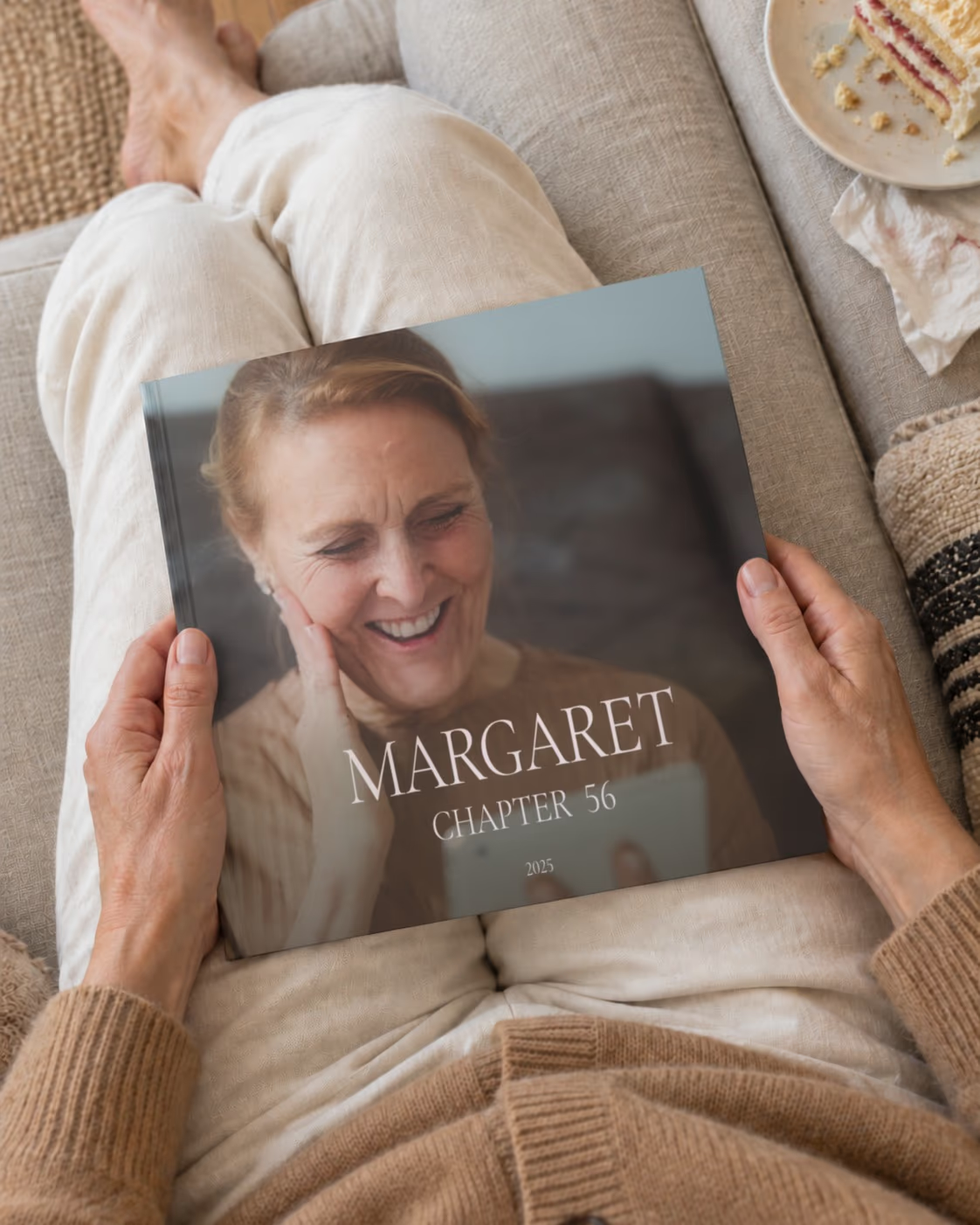
Your Birthday Year Photo Book captures the story of your life between two birthdays — a visual autobiography of one year, and a deeply personal way to preserve your memories. Instead of following the calendar year, your photo book reflects your own life chapter.
Memories.design automatically collects and organizes your Facebook photos or uploaded images in chronological order, creating a natural narrative of your experiences, milestones, and everyday moments.
Your book is ready to print right away. If you like, you can still adjust layouts or replace photos before ordering. This creates a meaningful keepsake that you and your family will treasure for years.
Make a new book on every birthday, and over the years they become the story of your life — one volume per year.

Create Your Personal Life Story from Your Own Photos
You can also create your Birthday Year Photo Book using photos from your phone, computer, or camera. Simply upload your images, and we will automatically organize them into a professionally designed photo book.
Your photos are arranged chronologically to reflect your personal timeline, capturing important moments, everyday life, and meaningful experiences.
This creates a personal life story book — a powerful way to document your journey and preserve your memories for yourself and future generations.
Birthday Photo Book Ideas
A birthday photo book can follow your own year — from one birthday to the next — or celebrate a milestone. Here are the books people make most often.
Birthday to birthday
Instead of the calendar year, the book follows your own year between two birthdays — one chapter of your autobiography. Make one every birthday.
30th birthday
The last year of your twenties — friends, trips and everything that happened along the way.
40th birthday
Family, work, travel: the year you turned 40, or the photos you choose from recent years.
50th birthday
A popular surprise gift: collect photos from family and friends, upload them together and give the book at the party.
60th birthday and beyond
A book for parents or grandparents — a warm way to show them how much the family has shared.
A birthday memory book as a gift
The book arrives printed and bound, ready to give. Upload the photos and the design is done for you.
The book
Premium Quality Photo Book Designed to Preserve Your Life Story
Your birthday year photo book is printed using professional materials to ensure your memories last for generations.

- 21 × 21 cm
- 8.3 × 8.3 in hardcover
- 23–295
- pages, a spine 8 to 30 mm thick
- 200 g/m²
- glossy photo pages
- Sewn
- the pages sewn into the binding
Professional Hardcover Format
- Book size: 21 × 21 cm (8.3 × 8.3 in)
- Durable hardcover with matte laminate finish
- Strong binding designed for long-term preservation
High-Quality Photo Printing
- Printed on premium 200 gsm gloss paper
- Sharp details and vibrant colors
- Professional print quality
Flexible Book Size
- From 23 to 295 pages
- Supports up to 1,770 photos
- Ideal for capturing your full birthday year
Fully Editable Layouts
- Automatically generated layouts
- Over 170 layout variations
- Fully customizable before printing
More books
Continue Preserving Your Life Story
Create photo books for milestone birthdays, relationship memories, and the years that define your journey.

Family Year Photo Book
Preserve a full year of your family’s life in one beautifully designed photo book. From everyday moments to special milestones, tell your family’s story year by year.
Learn more
Year in Review Photo Book
Capture your entire year in one beautifully designed photo book. Preserve your most important moments, milestones, and everyday memories in a premium printed album that tells the story of your year.
Learn more
Facebook Photo Book
Turn your Facebook photos into a beautifully designed printed photo book. Automatically import your photos and preserve your social media memories in a premium keepsake you can hold and share.
Learn more
Swipe to see more
FAQ
Still have a question? Contact Us
What is a birthday year photo book?
A birthday year photo book is a personal book about one year of your life — from one birthday to the next. It isn't the calendar year: it's your own year, the chapter you lived between two birthdays, told in photos in the order it happened.
Your autobiography, one year at a time
Think of it as a visual autobiography. Where you went, who you were with, what changed, what you were proud of, and the ordinary days that made up your year. Make a new book on every birthday, and over the years they become the story of your life — one volume per year.
What to put inside
- the people who mattered this year — family, friends, a partner
- trips, celebrations and new places
- milestones: a new job, a new home, a move, a big achievement
- everyday moments you'd otherwise forget
From Facebook or your own photos
Connect Facebook and choose the period between your two birthdays, or upload photos from your phone, computer or camera — or use both. We pick the best shots, remove duplicates and design the book automatically, so it's ready to print right away. You can still change anything if you like.
Making a book for someone else's 30th, 40th, 50th or 60th? See how to make a milestone birthday book with photos from family and friends.
Can I make a 50th birthday photo book with photos from family and friends?
Yes. For a milestone birthday — 30th, 40th, 50th, 60th or any other — you can make a decade photo book: ten years of someone's life in one book, leading up to the big day.
Ten years in one book
A decade book tells the story of the years before the milestone — the people, the trips, the celebrations and the everyday moments, in the order they happened. The cover is made for the occasion, with the age on it — for example, Celebrating 50 or The 40 Milestone — and you can change the title if you like.
Collect photos from everyone
The best decade books have photos from many people. Ask family and friends to send you their photos, then upload them all together — we put them in chronological order and remove duplicates. If the birthday person has years of photos on Facebook, you can make the book from Facebook too.
Make it a surprise
Plan for about 2–3 weeks from order to delivery, so start collecting photos a month before the party. The book arrives printed and bound, ready to give.
Making a book about your own year, from one birthday to the next? See what a birthday year photo book is.
When should I order a photo book to get it in time for a gift?
Plan for about 2–3 weeks from order to delivery: 1–2 days of moderation, about 5 business days of printing and up to 7 business days of shipping to the US. For Christmas, order by early December; for a birthday or anniversary, at least 3 weeks before the date.
Can I order extra copies as gifts?
Yes. You can order several copies of the same book in one order, or reorder it later from My Orders. One order goes to one address, so to send a copy to someone else — for example, to grandparents — place a separate order with their address.
How many photos can I put in a photo book?
From 23 to about 1,770 photos. The number of pages (from 23 to 295) depends on how many photos you have: each page holds one photo or a collage of up to six.
What size is the photo book and what paper is used?
- Size: 21 × 21 cm (8.3 × 8.3 in), square
- Hardcover with matte laminate, 2.5 mm thick
- Pages: 200 gsm glossy paper
- From 23 to 295 pages, up to about 1,770 photos
- The title and year are printed on the spine
How do I change the cover?
Your book comes with a cover designed automatically, so you don't have to change anything. If you want to, open your book and click Edit Cover below the cover. There you can change the title, the author name and the year, choose another cover style, and replace or crop the cover photos. Click Apply changes to save.